
 Preview



Betpkr Download for iOS: iPhone and iPad Guide
People searching for a Betpkr download for iOS usually want one clear answer: is there a real iPhone app, or can the Android APK be used on an Apple device? This independent guide explains what iPhone and iPad users in Pakistan can and cannot do, and how to avoid the fake installers that target this search.
An Android APK cannot be installed on an iPhone or iPad. APK files are built for Android, while iOS uses a different application and security system.
A native Bet PKR iPhone application was not independently verified during this research. Other websites publish contradictory statements: some claim iOS support, while others say iPhones are not supported. Treat any "Betpkr iOS download" button with caution until you have checked where it leads.
Commonly reported on
- iPhone Access
- APK Incompatible
- Safety Checks
- Common Questions
Can I download Betpkr on iPhone?
Betpkr for iOS has no independently verified App Store app, and Android APK files cannot be installed on an iPhone or iPad. The practical route is the verified mobile website in Safari, which you can add to your Home Screen as a shortcut. Avoid IPA files, unknown profiles and enterprise developer prompts.
| Item | Detail |
|---|---|
| Native iOS app | Not verified on the App Store |
| Android APK on iPhone | Not compatible |
| Practical route | Verified website in Safari, saved to Home Screen |
| Age | 18+ only |
| Last updated | October 7, 2026 |
Key Takeaways
- No native Betpkr iPhone or iPad app was verified on the Apple App Store during this review.
- APK files are built for Android and cannot be installed on iOS, even if renamed or downloaded through Safari.
- iPhone users can open the verified website in Safari and add it to the Home Screen as a shortcut.
- Betpkr IPA files, unknown configuration profiles and hack or mod versions are warning signs, not real downloads.
- Bet PKR involves real money and is for adults 18+ only; only deposit what you can afford to lose.
Betpkr on iOS: The Short Answer
At the time of this review, there was no verified Betpkr app listing on the Apple App Store that we could confirm. That means the realistic options for iPhone and iPad users are a genuine App Store listing if one appears in future, or the platform's mobile website opened in Safari, which you can pin to your Home Screen as a shortcut.
This site is an independent information resource. It is not the official Betpkr website and cannot publish or sign an iOS app. If any page, chat message or video offers a "Betpkr IPA", a "converted APK" or a profile you must trust before the game opens, treat it as a warning sign rather than a download.
Bet PKR involves real-money gaming. It is intended only for adults aged 18 and over, and no app, shortcut or device setting changes the risk of losing money.
Is Betpkr Available on the App Store?
A verified Betpkr App Store listing was not established during this review.
Search results inside the App Store can show apps with similar names, colours or logos. Do not assume that an app with a similar logo or name is the correct product. Before tapping Get, check:
- Developer name
- App description
- Privacy information
- Age rating
- Update history
- User reviews
- Linked developer website
If the developer website does not match the domain you reached through a trusted route, or the description talks about a completely different product, do not install it and do not log in with your Bet PKR details.
For most iPhone users, the App Store is the standard app-installation route. Apple also supports alternative app distribution in eligible regions, but regional availability and protections differ, and Pakistan users should not expect those routes to apply.
Can You Install the Bet PKR APK on iPhone?
No. The APK described in our Android guide only runs on Android phones and tablets.
Changing the file name or downloading an APK through Safari will not make it compatible with iOS. Safari will simply save an unusable file or show an error.
Avoid websites that ask you to:
- Convert an APK to iOS
- Install an unknown configuration profile
- Trust an unidentified enterprise developer
- Disable iPhone security
- Jailbreak the device
- Install several unrelated apps
- Complete surveys to unlock the download
These instructions may expose the device or account. If you also use an Android phone, follow the separate Android APK guide instead of trying to move the file to your iPhone.
Betpkr on Android vs iPhone: Access Compared
Based on what could be verified during this review. Platform features can change, so confirm the current options inside your account before relying on any of them.
| Install method | Android: APK file installed after allowing installs from the chosen source. iPhone/iPad: no verified App Store app; use the mobile website in Safari, optionally saved to the Home Screen. |
|---|---|
| What you actually get | Android: a standalone app package. iPhone/iPad: a browser page or Home Screen shortcut, not a native app. |
| Login | Android: inside the installed app. iPhone/iPad: on the website, using the same registered details and any OTP step the platform requires. |
| Payments | Android: through the app's deposit and withdrawal screens. iPhone/iPad: through the same screens on the website; wallet apps such as JazzCash or Easypaisa may open separately. Methods and limits vary, so check the current in-account screen. |
| Updates | Android: a newer APK may need to be installed over the old one. iPhone/iPad: the website updates on the server side; just reload the page. |
| Main risk | Android: fake or modified APK files. iPhone/iPad: lookalike websites, unknown configuration profiles and fake IPA or "enterprise" installers. |
| Storage use | Android: the app and its data occupy device storage. iPhone/iPad: only browser cache and website data. |
How to Add Betpkr to Your iPhone Home Screen
This is the safest way to get app-like access on iOS when a compatible mobile website is available. It creates a shortcut only, so nothing is installed outside Apple's normal protections.
- 1
Open the verified website in Safari
Reach the site through a trusted route rather than a link forwarded in a group chat. Check the address bar carefully for extra letters, numbers or unusual endings before going further.
How to check the official link - 2
Let the page finish loading
Wait until the login or home screen of the site is fully visible. If the page shows a download pop-up for an APK or a profile, close it; you do not need either on iOS.
- 3
Tap the Share button
In Safari, tap the square icon with an upward arrow. On recent iPhones it sits in the bottom toolbar; on iPad it is usually at the top right of the screen.
- 4
Choose Add to Home Screen
Scroll down the share sheet and tap Add to Home Screen. If you cannot see it, tap Edit Actions at the bottom of the sheet and add it to the list.
- 5
Review the name and address
Safari shows the shortcut name and the web address it will open. Rename it if you like, but confirm the address still matches the domain you verified in step one.
- 6
Tap Add and open the shortcut
The icon appears on your Home Screen like other apps. Open it, log in with your registered details and complete any OTP check the site asks for.
Login help
Home Screen Shortcut vs a Native App
A Home Screen shortcut saves you from typing the address every time and reduces the chance of landing on a lookalike domain through a search result. It does not, however, turn the website into a full iOS app.
What to expect from a shortcut:
- It opens the website, sometimes in a full-screen view without the Safari address bar.
- Your login may stay active only while website data and cookies are kept.
- Push notifications depend on whether the website supports web notifications and your iOS settings.
- Removing it is as simple as long-pressing the icon and choosing Delete Bookmark or Remove.
- If the platform changes its domain, the old shortcut may stop working and you will need to verify and add the new address.
Because the full-screen view hides the address bar, check the domain in normal Safari before you create the shortcut, not afterwards.
Using Betpkr on iPad
The same rules apply on iPad. There is no verified iPad app, APK files will not install, and the mobile or desktop website in Safari is the practical route. The larger screen can make tables and game lobbies easier to read, but payment and login safety checks stay exactly the same.
Possible Ways to Access Bet PKR on iPhone
1. Verified App Store Application
This is the preferred option when a genuine listing exists.
Only download after confirming the developer and linked website.
2. Browser Access
The platform may provide a mobile website that works through Safari or another browser.
Browser access depends on:
- Website availability
- Regional restrictions
- Mobile compatibility
- Login support
- Payment support
- Current platform rules
A browser page is not the same as a native iOS app.
3. Add a Website to the Home Screen
When a compatible mobile website exists, follow the step-by-step walkthrough above: open the verified page in Safari, tap Share, choose Add to Home Screen, review the name and address, then tap Add.
This creates a shortcut. It does not install a full native application.
Is There a Betpkr IPA File?
An IPA is the package format for iOS apps. Ordinary iPhones only run IPA files that Apple allows, which normally means apps delivered through the App Store or Apple's TestFlight beta service.
No genuine Betpkr IPA was verified during this review. Files shared on websites, Telegram groups or file-hosting links as a "Betpkr IPA" or "Bet PKR iOS mod" cannot be checked for origin, and many such installers are built to collect login details or push unwanted profiles.
Common tricks used with fake iOS installers include:
- Asking you to install a "signing" or "certificate" profile before the app opens
- Telling you to trust an enterprise developer whose name has nothing to do with the platform
- Promising a hacked, VIP or unlimited-balance version
- Asking for your Apple ID password so they can "install it for you"
- Making the download depend on surveys, extra apps or payments
Hacked or modified versions do not give real advantages. They are a common way to lose an account or expose a device, so avoid them completely.
Why Does My iPhone Ask Me to Trust a Developer?
When an app is installed outside the App Store using a business or enterprise certificate, iOS refuses to open it until you manually trust that developer in Settings. Apple adds this step because such apps have not passed App Store review.
If you see an "Untrusted Enterprise Developer" message after following a Betpkr iOS download link, do not trust the developer. Delete the app, then open Settings and check General, VPN and Device Management for any profile you do not recognise and remove it.
Do Not Install Unknown Profiles
A configuration profile can change device settings and may control certificates, network behaviour or management permissions.
Before installing any profile:
- Confirm why it is required.
- Verify the developer.
- Read every permission.
- Avoid profiles sent through chat.
- Remove profiles you no longer trust.
A gaming website should clearly explain why a profile is necessary. Opening a website in Safari never needs one.
Hack and Mod Versions for iPhone Are Fake
Pages offering a Betpkr hack, mod IPA, unlimited balance or guaranteed-win tool for iPhone are scams. They cannot change game results, and they are commonly used to steal account details, wallet PINs and OTP codes or to install harmful profiles. Never enter your Bet PKR login or Apple ID on such pages.
Bet PKR Login on iPhone
When browser access is supported:
- Open the verified website.
- Check the domain.
- Tap login.
- Enter the registered details.
- Complete OTP verification if required.
- Avoid saving credentials on a shared device.
- Log out when finished.
Do not approve an unexpected password-saving request on an unverified page. If the OTP does not arrive, wait a little before requesting another code and check that your mobile number is correct.
Payments on iPhone
Payment options may work through the mobile browser or may require a separate wallet app. On iPhone, Safari may switch you to a wallet app and back, so make sure you return to the verified website afterwards rather than a new tab that opened on its own.
Before depositing:
- Confirm the recipient inside the account.
- Check the minimum and maximum shown on the current deposit screen.
- Read promotion conditions.
- Save the receipt.
- Never share wallet PINs.
- Return to the verified account to submit the reference.
Do not follow payment instructions from an unrelated pop-up. Only deposit money you can afford to lose.
Common iPhone Problems
APK Will Not Open
This is expected. APK files are incompatible with iOS.
App Is Not Found on the App Store
The app may not have a verified listing, may be region-restricted or may not provide a native iOS version.
Browser Page Does Not Load
Try:
- Checking the connection
- Switching between Wi-Fi and mobile data
- Refreshing Safari
- Clearing outdated website data
- Disabling an incompatible content blocker
- Confirming the correct domain
Home Screen Shortcut Stopped Working
The website address may have changed or the saved data may have been cleared. Delete the old shortcut, verify the current address and add it again.
Login Screen Keeps Refreshing
Cookies, browser restrictions or an incompatible site version may be responsible. Avoid disabling all privacy and security controls merely to access a gaming page.
Payment Button Opens Another Website
Confirm the destination before entering payment or personal details.
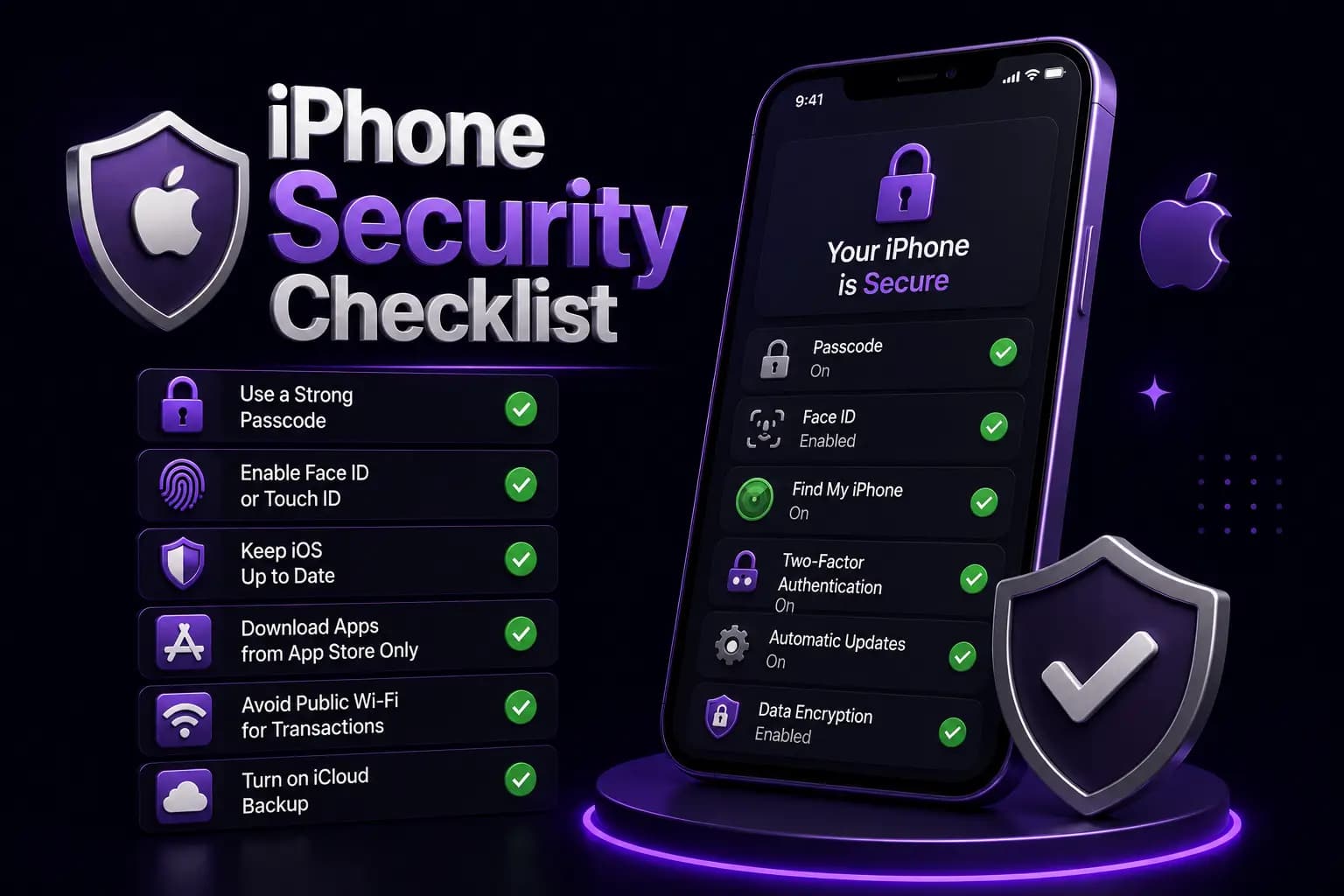
iPhone Security Checklist
- Use the App Store when a verified listing exists.
- Do not install Android APKs.
- Avoid jailbreaking.
- Avoid unknown configuration profiles.
- Verify the developer.
- Keep iOS updated.
- Use a strong password.
- Keep OTP codes private.
- Review Safari redirects.
- Never provide remote screen access.
More Betpkr Guides for iPhone and Android Users
Related pages on this independent site that answer the next questions iOS users usually have.
Android users: Betpkr download APK guide
If you also have an Android phone, see how the APK route works and which installation checks to follow.
Open the download guideBetpkr app overview
Compare the Android app, iPhone browser access and PC options in one place.
Read the app overviewFinding the official link
Learn how to check a domain before saving it to your Home Screen or logging in.
Is Betpkr real or fake?
Understand what can and cannot be verified about the platform before you deposit.
Read the reviewLink not opening
Fixes to try when the website will not load in Safari or another browser.
See the fixesResponsible gaming
Set limits, take breaks and recognise when real-money play stops being fun.
Read the guideIs Bet PKR Safe on iPhone?
Device security and platform trust are different questions.
An app can run on iOS while the operator, payment process or gaming terms remain unverified. Do not describe the platform as safe solely because it is accessible on an iPhone.
Using Safari instead of an unknown installer keeps your iPhone's own protections in place, but it does not protect the money you deposit. Read the platform's terms, keep records of every transaction and only play with amounts you are prepared to lose.
18+ and Responsible Use
Bet PKR games involve real money and outcomes are uncertain. They are not a source of income. Set a budget before you play, avoid chasing losses and step away if gaming starts to affect your finances, studies, work or relationships. iPhone users can also use Screen Time to limit how long Safari or the Home Screen shortcut is used each day.
Conclusion
Betpkr iOS availability should not be assumed from an Android download page. An APK cannot run on an iPhone, a genuine IPA was not found, and a native iOS application has not been independently confirmed.
For now, the practical route is the verified mobile website in Safari, saved to the Home Screen if you want quicker access. Avoid unknown profiles, enterprise certificates and hack versions, and check every payment destination before sending money.
Frequently Asked Questions
A native Betpkr iPhone app was not independently verified on the App Store during this review. iPhone users can use the mobile website in Safari when it is available and save it to the Home Screen as a shortcut.
Related Guides
We check every step on the public Bet PKR screens using ordinary Android phones and a desktop browser, and we do not publish version numbers, bonus amounts or limits we cannot verify. This is an independent guide, not the operator. Some buttons are referral links, marked as sponsored; they never change our advice. Real-money gaming is for adults 18+ only.